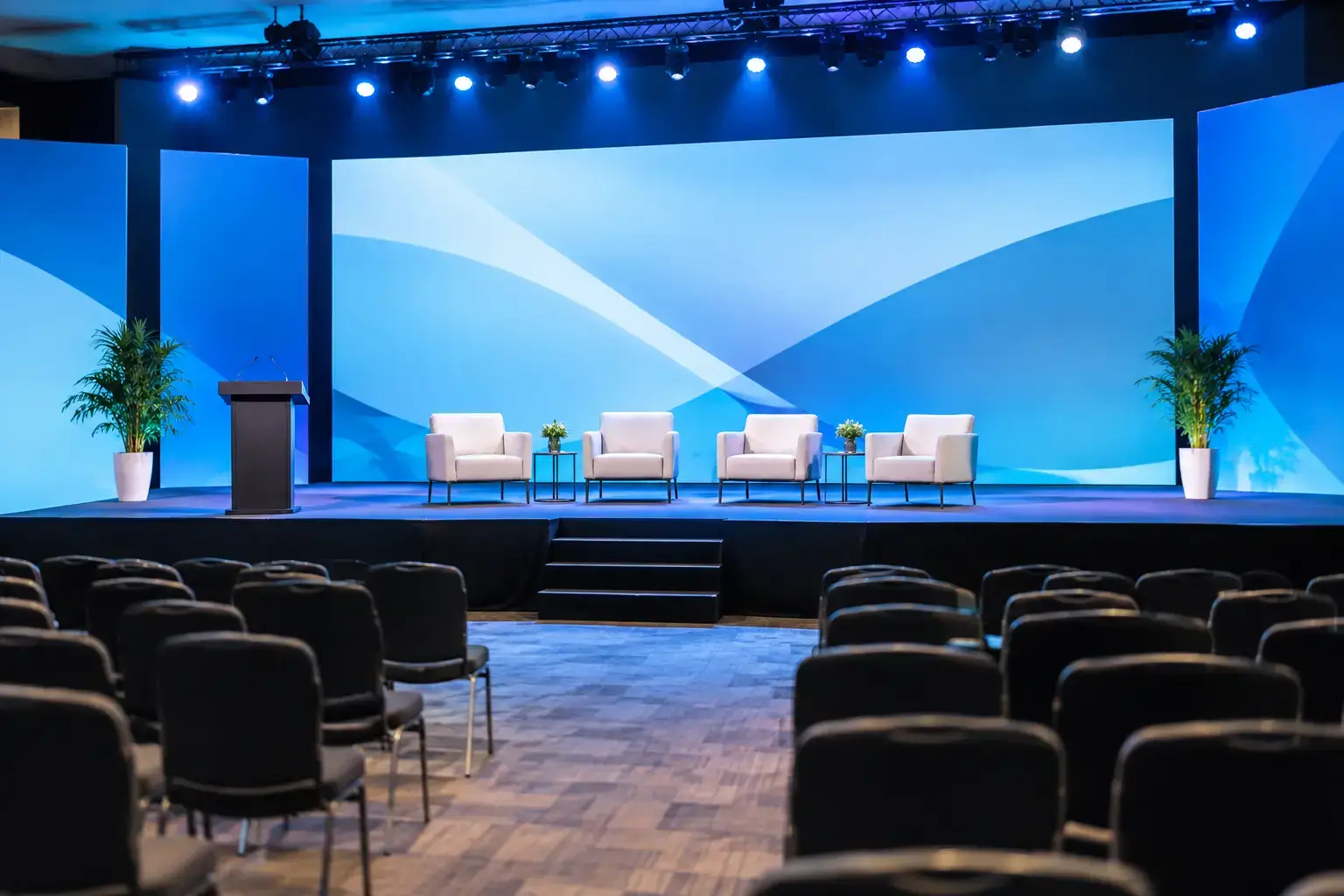
A conference room can have an excellent agenda, respected speakers and a strong guest list, yet still feel underwhelming if the stage does not support the occasion. The best conference staging examples do more than provide a place to stand. They focus attention, make every word easy to hear and give guests confidence that the event has been properly considered.
For organisers, staging is not simply a question of hiring a platform and a screen. It is the point where content, brand, room layout, lighting and technical delivery meet. A well-designed stage helps a keynote land with authority. A poorly planned one can leave presenters in shadow, delegates straining to see slides or a panel discussion feeling disconnected from the room.
Conference staging examples for different event formats
The right approach depends on the venue, audience numbers, programme and the level of interaction required. A school hall, hotel ballroom, exhibition space and corporate training suite each present different practical considerations. These examples show how stage design can be shaped around the outcome rather than a one-size-fits-all package.
1. The clean keynote stage
For an annual conference, leadership briefing or product announcement, a clean central stage remains one of the most effective choices. A low, wide platform with a branded lectern or presentation stand gives the main speaker a clear home, while a large central screen carries slides, video and supporting content.
The important detail is proportion. A screen that is too small for the room forces delegates to read rather than listen; one that dominates the stage can make the speaker seem secondary. Front lighting should illuminate faces evenly without spilling harsh light onto the projection surface. Professional wireless microphones give the presenter freedom to move, but a discreet backup microphone should always be available.
2. The two-screen corporate presentation
Where a room is wide, two confidence-building display points can work better than one central screen. Twin projection screens or large-format displays keep slides visible to delegates seated at either side, while leaving a central stage position for the presenter.
This format is particularly useful for conferences in hotel function rooms with low ceilings or restricted sightlines. It also gives greater flexibility when switching between branded holding slides, live camera feeds and presentations. The trade-off is that content must be formatted and tested carefully, so both screens show exactly what the audience needs to see.
3. The panel discussion stage
Panel sessions need staging that feels conversational without losing visibility. Four or five matching chairs, a low table and carefully positioned microphones can create the right relaxed tone, especially for industry discussions, charity events and question-and-answer sessions.
Avoid placing panellists too far back on a deep stage. They should sit close enough to the front for the audience to read expressions and engage with the conversation. For larger rooms, individual headset microphones or gooseneck microphones are more reliable than passing a handheld mic along the line. A comfort monitor facing the panel can display timings, questions or remote contributors without turning the speakers away from the audience.
4. The theatre-style expert session
Some conferences are built around expertise rather than spectacle. A theatre-style setup, with a simple lectern, branded backdrop, presentation screen and focused lighting, gives guest speakers an authoritative setting without unnecessary production.
This is often the right choice for professional associations, training days and education-focused events. The stage can remain modest, but the sound system should not be. Clear speech reinforcement from quality PA equipment matters far more than excessive volume. Delegates at the back must hear every point as comfortably as those in the front row.
5. The live demonstration stage
Product demonstrations, technical workshops and practical talks require closer attention to camera coverage and display. If a speaker is assembling, cooking, repairing or demonstrating an item, the audience needs a clear view of the detail as well as the person speaking.
An overhead or side camera feeding a large screen can transform the experience. It prevents a crowd gathering around the stage and means every delegate has the same view. Good staging here includes cable management, a stable work surface and enough light for the camera, not just the room. Testing the presenter’s movements in advance is essential, particularly where reflective products or fine-detail work are involved.
6. The conference with remote contributors
Hybrid participation is now a practical requirement for many organisations, whether a guest speaker is joining from another city or a national team needs to watch remotely. The strongest setup is not a laptop placed on a table beside the stage. It is a properly managed presentation area with a dedicated display for remote contributors, suitable cameras, clean audio routing and a reliable technician overseeing the call.
The audience should be able to see and hear the contributor clearly, while the remote guest needs a view of the stage, slides and audience questions. This requires careful microphone management to avoid echo and feedback. It also depends on a stable connection, so a site check and contingency plan are worth building into the production schedule.
7. The awards presentation stage
Awards evenings have different demands from daytime conferences. The stage must look good in photographs, support walk-on music and give winners a memorable moment without slowing the schedule. A raised platform, branded backdrop, lighting colour matched to the event identity and a clear route on and off stage create a polished result.
For this format, stage lighting becomes part of the guest experience. Warm front light flatters presenters and winners, while intelligent lighting can add movement during stings and award announcements. The best results are controlled rather than chaotic: lighting should enhance the reveal, not distract from it. A dedicated show caller or technician also helps keep music, walk-ups, video and microphones perfectly timed.
8. The cabaret conference stage
Cabaret seating changes the relationship between the stage and the audience. Delegates are more spread out, tables can block sightlines and the room often needs to shift between presentations, dining and entertainment. A slightly higher stage, wider screen placement and well-aimed sound coverage are usually needed.
This setup works well for conference dinners, fundraising events and sponsor-led occasions. It calls for more planning than theatre seating, particularly if service staff will be moving during speeches. The goal is to maintain a clear focal point while ensuring guests do not feel as though they are watching from behind a forest of centrepieces and table displays.
9. The branded product-launch stage
For a launch, the stage itself should reinforce the message. This may mean a branded scenic wall, colour-matched lighting, animated screen content or a reveal moment built around music and video. It does not always mean building a huge set. A simple, sharply executed design can feel more premium than an overcomplicated stage in the wrong room.
Think about what guests will photograph and share. Brand marks need to be visible without appearing behind every speaker’s head, while screens should remain legible under event lighting. If a product reveal is planned, rehearse it fully. Timing, music, lighting and stage access need to work together rather than rely on a last-minute cue.
10. The flexible multi-session stage
Larger conferences often need one stage to serve several purposes: opening remarks, keynote presentations, panel sessions, entertainment and closing awards. In this case, flexibility should be designed in from the start. Modular stage sections, movable furniture, adaptable lighting scenes and a clear running order make fast transitions possible.
This is where an experienced production partner makes a real difference. Equipment choice matters, but so does the ability to anticipate changeovers, provide backup options and solve practical issues before delegates notice them. The Grind Events Hire plans staging, premium sound, lighting, projection and microphone systems as one coordinated production, helping organisers maintain a professional standard from doors open to final applause.
What makes a conference stage feel professional?
A professional stage is rarely defined by one expensive item. It is the cumulative effect of sensible scale, tidy cable runs, correct microphone choice, balanced audio and lighting that works for both attendees and cameras. It is also about safety: platforms must be stable, access steps secure, equipment properly installed and electrical systems maintained and tested.
Before agreeing a design, consider the size of the room, the furthest delegate from the stage, the ceiling height, existing venue lighting and whether content includes video. Ask who will operate presentations, cue speakers and manage last-minute changes. For a small internal meeting, a simple screen and PA may be entirely appropriate. For a client-facing conference or awards event, additional stage dressing, lighting and technical staffing often deliver a noticeably stronger result.
The most successful conference stage does not compete with the message. It gives speakers the confidence to perform, gives delegates a clear reason to pay attention and lets the event feel as considered as the work that went into organising it.