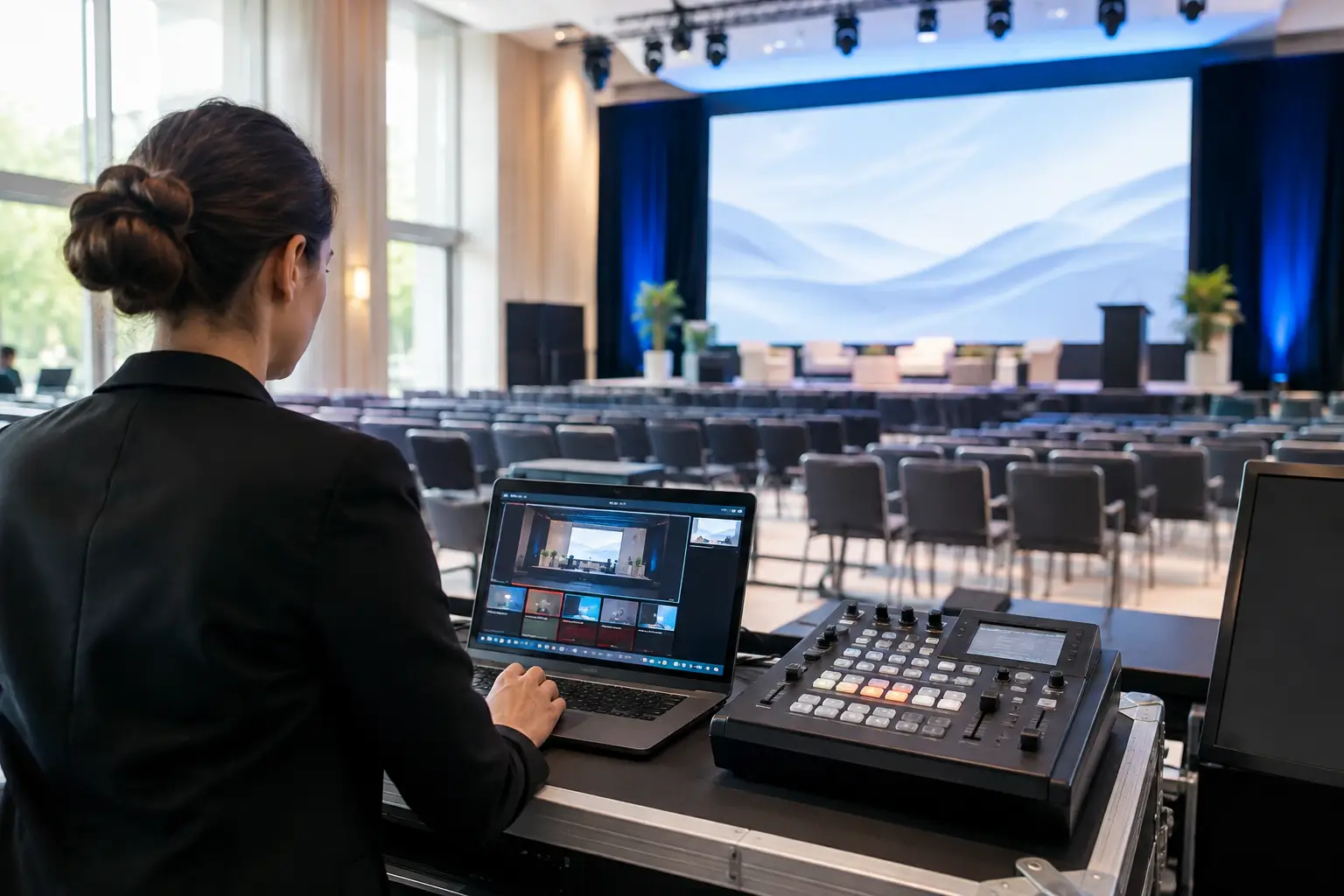
A chief executive walks on stage, the room settles, and the first slide appears too small for the back tables to read. The message may be excellent, but the moment has already lost authority. Setting up corporate event visuals is not simply a matter of hiring a screen and connecting a laptop. It is about making every guest feel included in the room, whether they are seated front row or beside the catering station.
For conferences, awards evenings, staff briefings and brand launches, visual production carries the pace, personality and professionalism of the event. Done properly, it supports the speaker without competing for attention. Done poorly, it creates distraction, delays and a presentation that feels less polished than the business behind it.
Start with the audience's view
The right visual setup begins with the room, not the equipment list. A screen that works well in a dark boardroom may be ineffective in a bright hotel suite with floor-to-ceiling windows. Equally, a large LED display can be unnecessary for a small internal meeting where a quality projection system is more appropriate.
Consider how many people will attend, where they will sit, and how far the furthest guest will be from the screen. Sightlines matter just as much as screen size. Pillars, low ceilings, table centrepieces and open doors can all interrupt a clear view. If the event includes round tables, a single centre screen can leave a significant proportion of the audience turning awkwardly throughout the presentation. Two confidence-facing displays or relay screens may be the better choice.
Content also affects the decision. A keynote with large imagery and short statements is more forgiving than financial figures, detailed diagrams or product specifications. If guests need to read fine text, every visual needs more screen area, stronger contrast and a layout designed for distance.
Setting up corporate event visuals around the agenda
A production plan should follow the running order rather than sit separately from it. Each part of the event places different demands on the visual system. Registration may need branded welcome slides, sponsor loops or directional content. A conference session needs presentation playback and confidence monitoring. An awards evening may need nominee graphics, walk-on visuals and a camera feed for guests seated away from the stage.
Map these moments before deciding what to hire. It prevents a common issue: discovering late in the process that one screen is expected to display slides, play video, show a live camera, carry sponsor branding and provide a countdown at the same time. A capable vision system can manage multiple sources, but it needs to be planned and operated accordingly.
For a straightforward presentation, a professional projector, screen and presentation clicker may be enough. For a higher-profile event, a properly specified display system with switching, playback and an experienced technician offers considerably more control. The trade-off is budget and setup time, but it can be the difference between a meeting and a production that genuinely represents the organisation.
Design content for the room, not the desktop
Many slides are built on office monitors and only tested moments before the event. That is risky. Text that looks sensible at a desk can become unreadable at six metres, especially under stage lighting.
Keep typefaces clear, headings generous and slide layouts uncluttered. Avoid placing key text right at the edge of the design, where screen bezels, projection framing or an incorrect aspect ratio can cut it off. High-resolution images should be used wherever possible, particularly on large displays where poor artwork becomes immediately obvious.
Ask presenters to supply their final content in advance. This gives the technical team time to test fonts, embedded video, audio levels and unusual file formats. It also allows for a backup copy to be held on the playback system. Last-minute changes happen, but they should be the exception rather than the entire production plan.
Choose displays that suit the venue conditions
Projection remains an excellent option for many corporate events. It offers a large image at a sensible cost and can look impressive in controlled lighting conditions. However, projectors need careful placement, the right screen surface and sufficient brightness. Daylight, light-coloured walls and strong room lighting can wash out projected content quickly.
Large-format displays are often a better fit for bright spaces, smaller rooms or areas where a projector position would obstruct guests. They deliver strong contrast and crisp text, although screen size and viewing angle must still be considered. For major launches, conferences and awards productions, LED video walls offer scale, impact and flexible branding opportunities. They are particularly effective when visuals are a central part of the guest experience, rather than a supporting element.
There is no single premium solution for every event. A bright 85-inch display can outperform a poorly specified projector, while a well-designed twin-screen projection setup may be more useful than an LED wall that is too small for the venue. The practical question is always the same: can every guest see the information clearly and comfortably?
Treat lighting and visuals as one system
Visuals do not exist separately from lighting. If the stage is bright enough for photographs but the projector is underpowered, slides will appear faded. If the room is kept too dark for screens, guests may struggle to make notes, network or enjoy dinner. Good event lighting balances these needs rather than treating them as competing priorities.
Stage wash should make speakers look natural and confident, while carefully positioned uplighting can add colour and reinforce the brand without spilling onto projection surfaces. Moving lighting can build energy for walk-ons, award reveals and product moments, but it should be used with purpose. Constant movement during a serious presentation becomes visual noise.
Branded colour palettes need checking in the real environment too. A corporate blue may look very different under warm ambient lighting or when displayed beside a cool white screen. A pre-event test, or at least a clear production brief with brand assets, helps avoid unwelcome surprises.
Build in confidence monitors and presenter support
Presenters perform better when they know where to look and what is coming next. A confidence monitor facing the stage lets them see their slides, notes, timer or live camera feed without repeatedly turning towards the main screen. This is especially valuable when the audience is large, the stage is wide, or the speaker needs to engage directly with the room.
For panel discussions, provide enough microphones and clear visual cues for contributors. For video playback, confirm whether audio will run through the venue system or the event PA, and test it at working volume. A video with no sound, a presenter without the correct adapter or a laptop that enters sleep mode are small failures that can interrupt an otherwise excellent programme.
Professional events also need a clear handover process. Establish who has authority to approve content changes, who introduces each speaker, and who gives the cue for walk-on music, video or lighting transitions. Technical delivery is most reliable when the event organiser, host and production team share one agreed schedule.
Plan for reliability, not just appearance
Corporate events often carry messages that cannot be repeated easily: annual results, a leadership announcement, an award winner or a client pitch. That is why backup planning matters. Duplicate presentation files, spare cables, tested adapters and backup playback routes are not extras. They are sensible safeguards.
Use professionally maintained equipment, PAT-tested power distribution and technicians who understand how sound, lighting and vision interact. Public-facing events also require safe cable routes, secure screen placement and equipment that does not compromise access around the room. These details are rarely noticed when everything goes right, which is exactly the point.
A site visit can identify issues before event day, from limited load-in access to ceiling restrictions and unreliable venue Wi-Fi. If the event relies on remote presenters, live streaming or cloud-based content, arrange a dedicated connection or a tested alternative. Venue internet should never be assumed to be suitable simply because it is available.
Give the production team the information they need
The strongest corporate visual setups come from early, practical conversations. Share the venue plan, guest numbers, agenda, stage dimensions, brand guidelines, presentation format and any video requirements. Let the production provider know if senior leadership, clients or photographers will attend, as this may influence camera positions, stage lighting and the need for a cleaner visual finish.
The Grind Events Hire approaches this work as technical production, not a box-dropping exercise. The right combination of professional displays, projection, lighting, audio and on-site support should make the event easier to run while giving guests a confident, consistent experience.
Before approving the final plan, stand mentally at the worst seat in the room. If that guest can see the message, hear the presenter and understand what is happening on stage, the visual setup is doing its job.