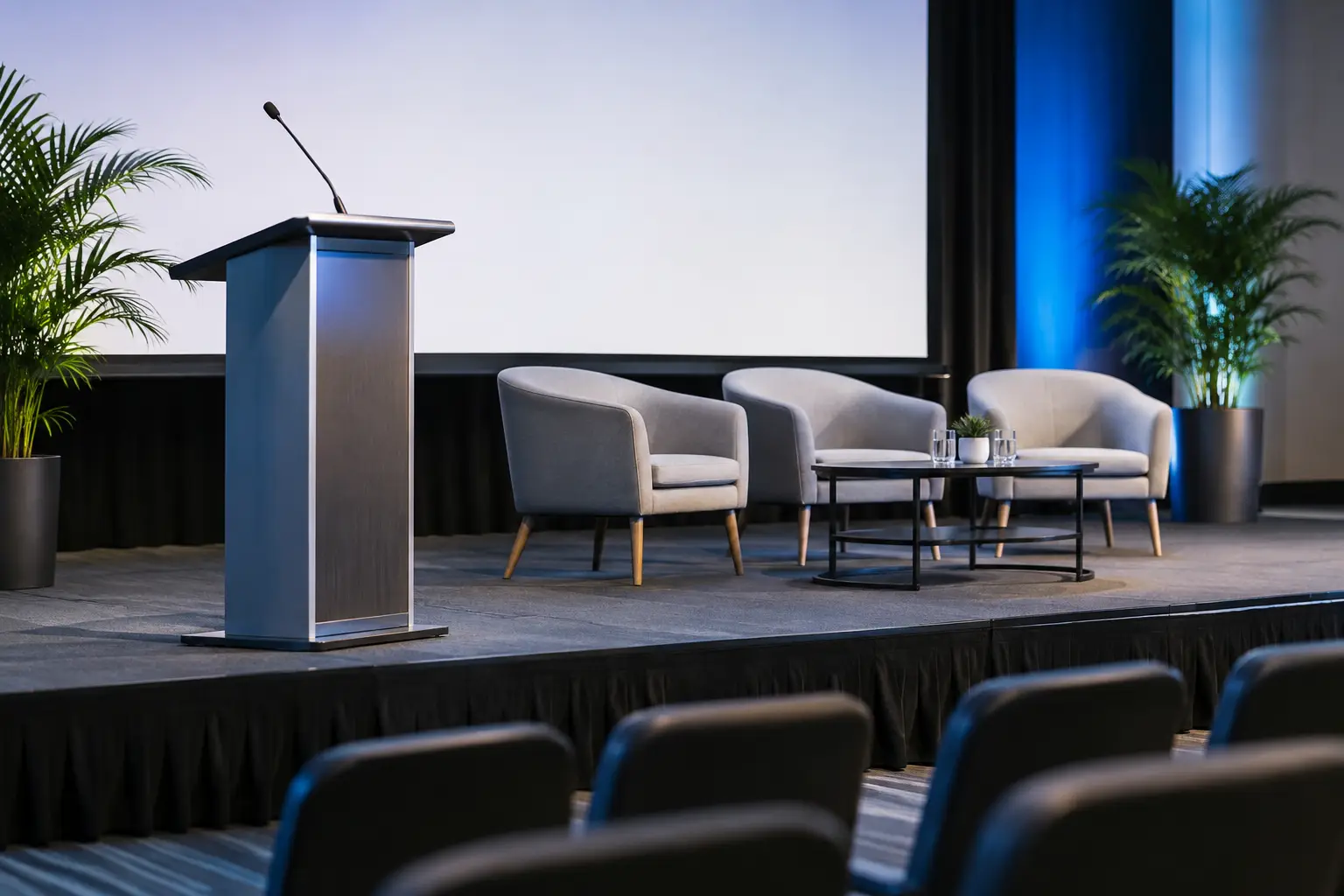
A conference can have strong speakers, useful content and a well-chosen venue, yet still feel underprepared if the stage is an afterthought. The top conference staging essentials are not simply about making a room look impressive. They give presenters confidence, help every guest hear and see clearly, and make the whole event feel organised from the first walk-on to the final question.
For a boardroom briefing, a simple lectern, screen and discreet PA may be enough. A larger awards evening, staff conference or product launch needs a more considered production plan. The right answer depends on the room, agenda, audience size, venue restrictions and whether the event is being filmed or streamed. What should not change is the standard of planning behind it.
Top Conference Staging Essentials for a Professional Event
A stage designed for the room and the agenda
The stage is the visual centre of the conference, so it needs to be sized and positioned with purpose. It should give speakers enough room to move naturally, accommodate lecterns, furniture or demonstration equipment, and remain visible from the back and sides of the room.
Height is a balance. A low platform can work well for an intimate seminar, where delegates are seated close to the speaker. In a deeper room or theatre-style layout, a higher stage may be needed to preserve sightlines. Go too high in a small room, however, and the presenter can feel detached from the audience.
Access matters just as much as appearance. Steps must be stable, clearly defined and suitable for every person using the stage. For public-facing events, consider accessible ramp provision, handrails where appropriate, and a route that allows speakers to enter without crossing cables or squeezing through crowded seating. A professional staging supplier will assess these details before build day rather than improvising around them afterwards.
Clear, dependable sound
Poor audio is one of the quickest ways to lose a conference audience. If delegates are straining to hear, the value of the presentation drops immediately. A properly specified PA system should provide even coverage across the room without becoming harsh or uncomfortably loud for guests near the front.
Microphone choice should follow the format of the day. A lectern microphone suits fixed presentations, while a radio handheld offers flexibility for speakers who prefer to move. Headset and lapel microphones are often the best choice for panel hosts, trainers and presenters who need both hands free. For audience questions, a roaming handheld microphone keeps contributions clear and prevents the familiar problem of answers being heard only by the front few rows.
Wireless systems need careful frequency management, battery planning and a technician who can respond quickly if a presenter changes the running order. This is not an area for untested equipment or last-minute set-up. Recognised professional systems, such as Sennheiser wireless microphones, offer the reliability expected at a business event when correctly deployed and monitored.
Screens and presentation confidence
Every delegate should be able to read the essential information on screen without leaning forward or relying on a copy of the slides on their mobile phone. That means matching the screen size and projection or display solution to the room dimensions, seating layout and ambient light.
Projection remains an effective choice in many venues, particularly where a large image is required. It does, however, rely on sensible control of house lighting and careful projector placement. In a bright room with extensive windows, high-brightness projection or commercial displays may be the better option. The cheapest visual solution is rarely good value if graphs, video and key messages become difficult to see.
Build in a confidence monitor for larger events. This is a screen facing the stage that allows presenters to see their slides, timers or video playback without repeatedly turning towards the main display. It improves delivery, helps speakers stay on schedule and looks considerably more polished in photographs and video.
Presentation playback also deserves a proper technical check. Bring every laptop, video file and adapter into the plan early. Test aspect ratios, embedded films, audio levels and font compatibility before guests arrive. A backup presentation file and a spare connection can save a great deal of pressure when a keynote is due to begin.
Lighting That Supports the Message
Conference lighting is often misunderstood as decoration. It is first a practical tool: speakers need to be clearly visible, safely lit and flattering on camera. General venue lighting may be adequate for a meeting, but it seldom delivers the focus required for a formal stage.
A simple front wash can lift presenters out of a dark background and help the room feel more intentional. Add colour washes to walls, drape or stage surrounds and the event gains depth without becoming distracting. For branded conferences, lighting can reflect campaign colours or complement corporate graphics, provided it does not affect readability on screen.
If the event includes filming, live streaming or professional photography, lighting becomes even more important. Cameras need more than a dimly lit stage and a bright screen behind the speaker. A production team can balance stage light, screen brightness and background colour so the final footage remains useful long after the event ends.
Avoid treating moving lights and effects as automatic requirements. They can be highly effective for walk-on moments, awards stings or a launch reveal, but a full concert-style rig is not right for every conference. The production should match the brand, audience and purpose of the day.
Power, cabling and safety
Good staging looks calm because the complicated work is controlled out of sight. Power distribution, signal cabling and cable routes should be planned around the stage, registration area, audience seating and emergency access. Loose leads across a pavement are both an avoidable trip hazard and an unwelcome visual distraction.
Ask whether the equipment is professionally maintained, PAT tested and covered by suitable public-liability insurance. Venues and corporate organisers increasingly require this paperwork, particularly where temporary power, raised staging and public access are involved. It is a basic professional standard, not an optional extra.
A site visit can identify practical issues that a floor plan misses: low ceiling points, restricted load-in routes, noise limits, limited power outlets, lift dimensions and fixed furniture. It also gives the technical team time to propose sensible alternatives rather than forcing a plan that does not suit the building.
The People Behind the Equipment
Even the best equipment needs experienced operation. Conferences evolve in real time. A speaker arrives late, a panel gains an extra chair, a video needs replaying, or the client asks for walk-on music at short notice. A competent technician keeps those changes controlled and protects the audience experience.
For smaller meetings, a well-prepared system may only need set-up support and a clear handover. For conferences with multiple speakers, live video, frequent microphone changes or a full-day schedule, an on-site technician is a worthwhile investment. They can manage cues, monitor levels, troubleshoot presentation issues and allow the organiser to focus on delegates rather than cables.
It is also worth agreeing a running order with clear technical cues. Note when each speaker walks on, which microphone they use, whether slides or videos are required, and when lights or music need to change. This does not need to be overly complicated, but it turns separate hire items into a coordinated show.
Finish the stage without clutter
The final detail is restraint. Branded lectern panels, neat stage skirting, furniture for panel discussions and carefully placed comfort monitors can elevate the stage. Too many banners, exposed flight cases or unnecessary furniture can have the opposite effect.
Think about what guests see from their seats and what appears in event photographs. A clean background, consistent colours and properly managed cable runs will often do more for perceived quality than adding another piece of equipment. If sponsor branding is required, position it where it is visible without competing with the presentation screen.
For organisers across North Lincolnshire and beyond, The Grind Events Hire can bring staging, premium sound, lighting, projection and hands-on technical support together under one considered production plan. The aim is not to fill a room with equipment. It is to give every speaker a credible platform, every guest a clear experience and every organiser genuine peace of mind.
The best conference stage is the one nobody has to think about once the doors open. It simply looks right, sounds right and lets the message take centre stage.